
Color palette generator for Figma
Enter one brand color. UIX builds 11-shade scales for your brand, neutral and feedback colors, checks contrast on every shade, and saves them as Figma variables.
 UIX : Design System Generator×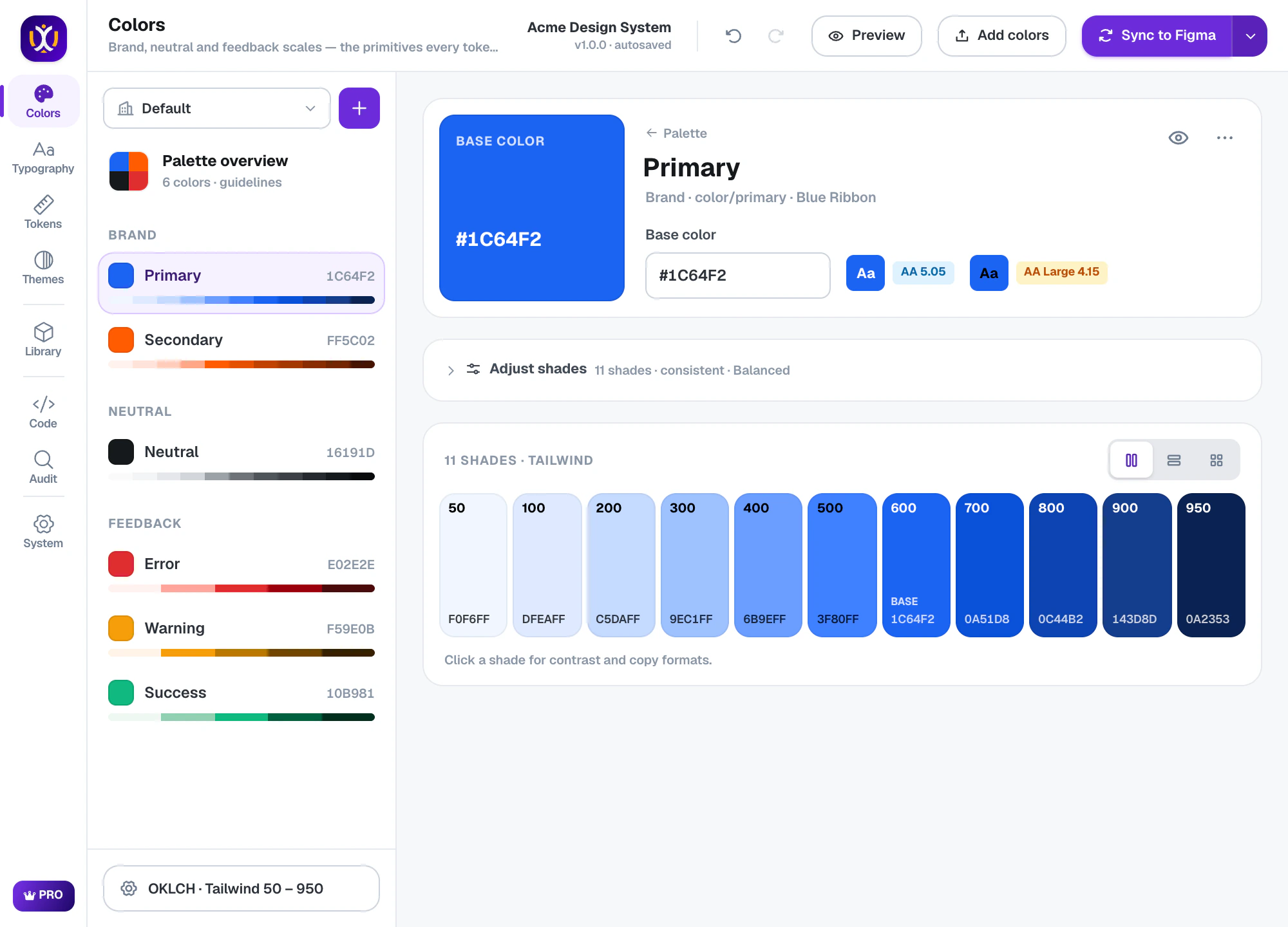
Color, done properly
11 shades per color
Tailwind-style 50–950 by default, or the naming your team uses: Hundreds 100–900, Radix 1–12, Ant Design 1–10, Material tonal, IBM Carbon or named steps.
Perceptual OKLCH engine
Shades step evenly in perceived lightness, so mid-tones don’t turn muddy and every hue feels balanced. (Pro — Free uses HSL.)
Contrast on every shade
Each shade shows its WCAG contrast, so you know which ones are safe for text before anything ships.
Brand, neutral and feedback
Primary and secondary brand colors, a neutral ramp for surfaces and text, plus success, warning and error scales.
34 ready-made palettes
Start from popular, brand-inspired, developer-theme or pastel palettes — or generate one from a color harmony.
Human color names
Every base color gets a name like Blue Ribbon or Blaze Orange, which makes reviews and handoff easier.
Fine-tune the curve, not every shade
Adjust shades changes the whole scale at once: shift the hue toward the dark end, keep chroma high in the mid-tones, or reshape the lightness curve. Your base color always stays exactly where you put it.
UIX : Design System Generator×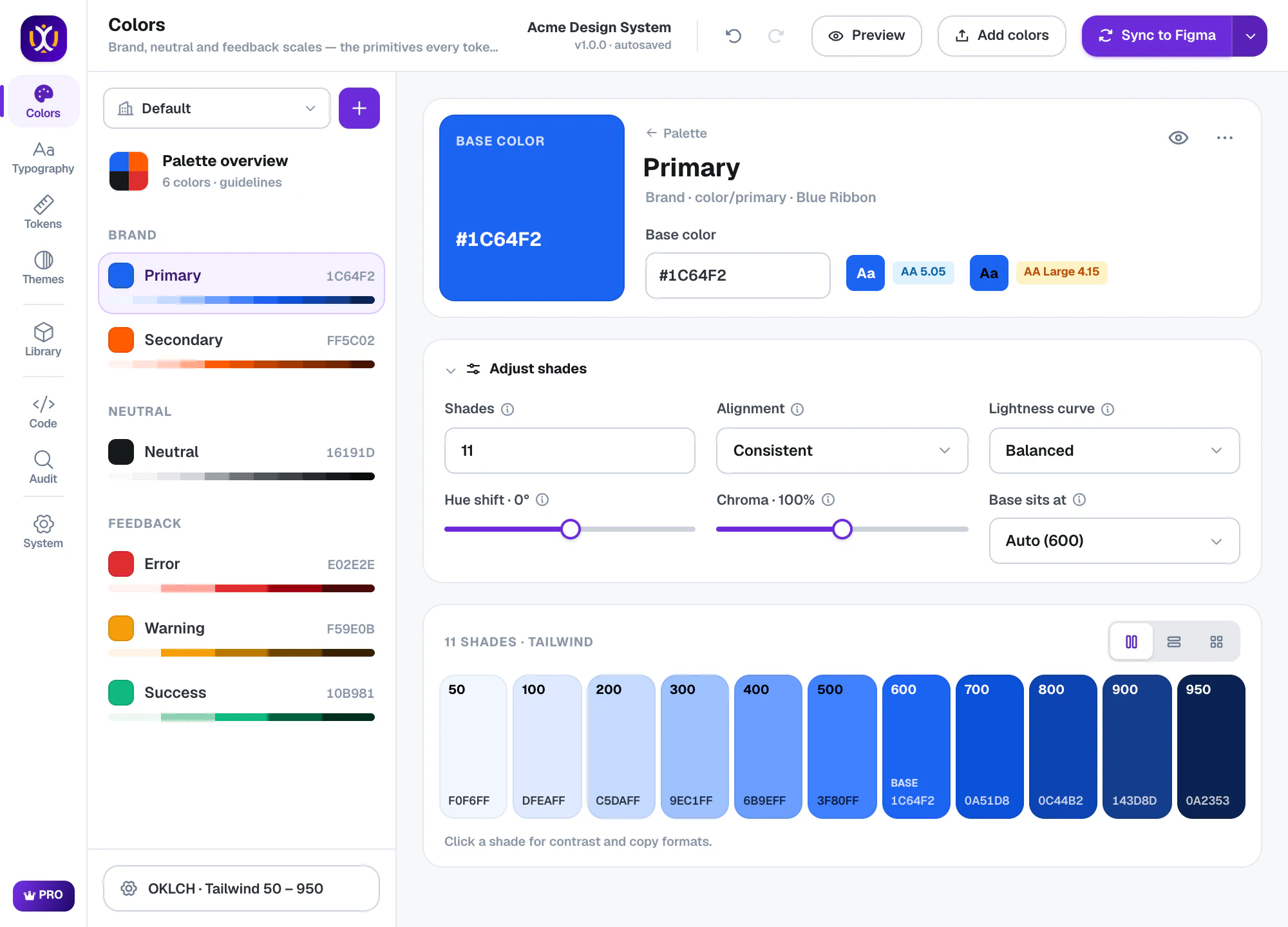
Use the shade names your developers use
Pick a scale format — Tailwind 50–950, Hundreds, Radix 1–12, Ant Design 1–10, Material tonal 99–10, IBM Carbon 10–100 or named steps. Variable names and the code export follow it.
UIX : Design System Generator×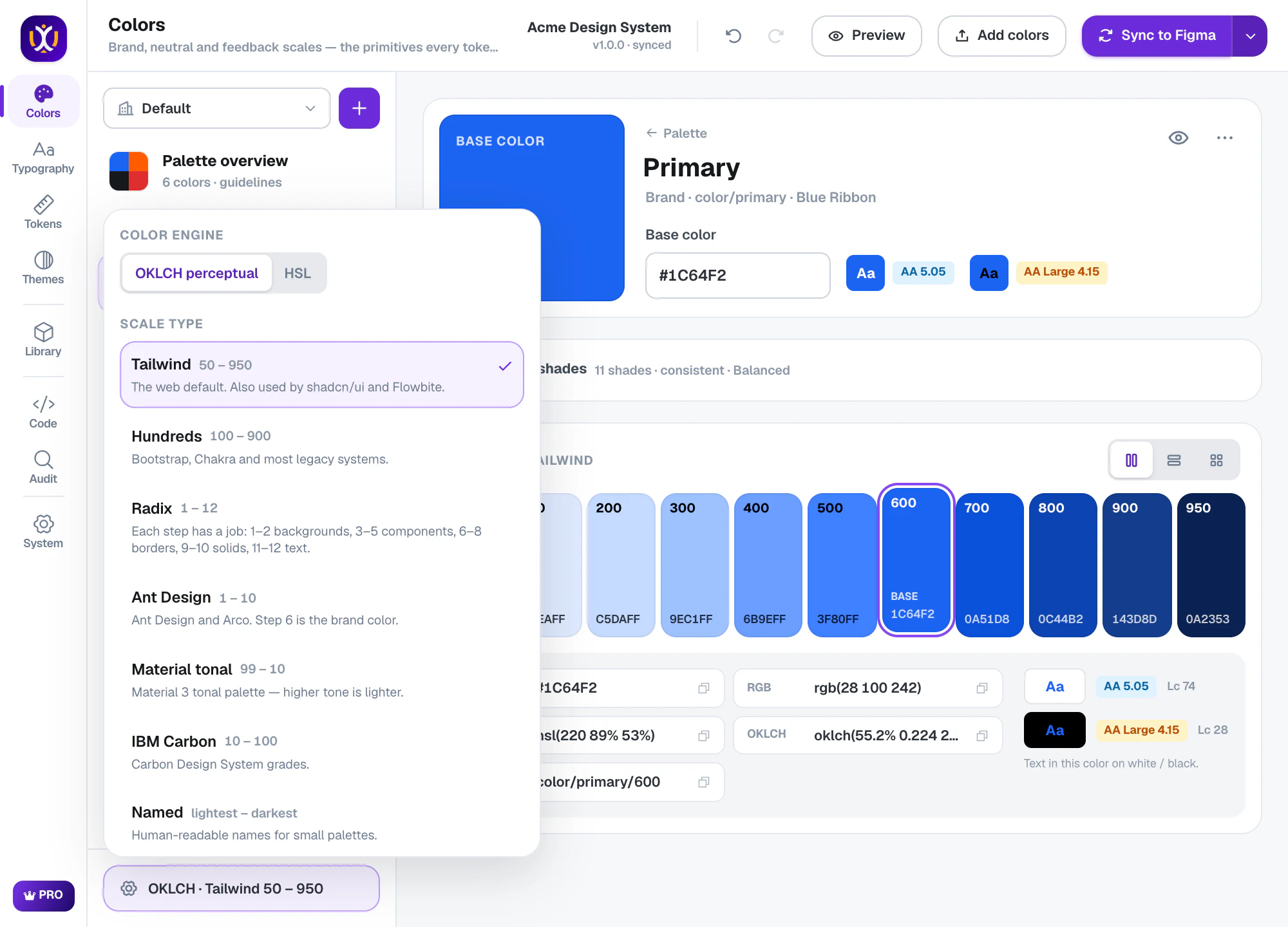
Real Figma variables, ready for themes
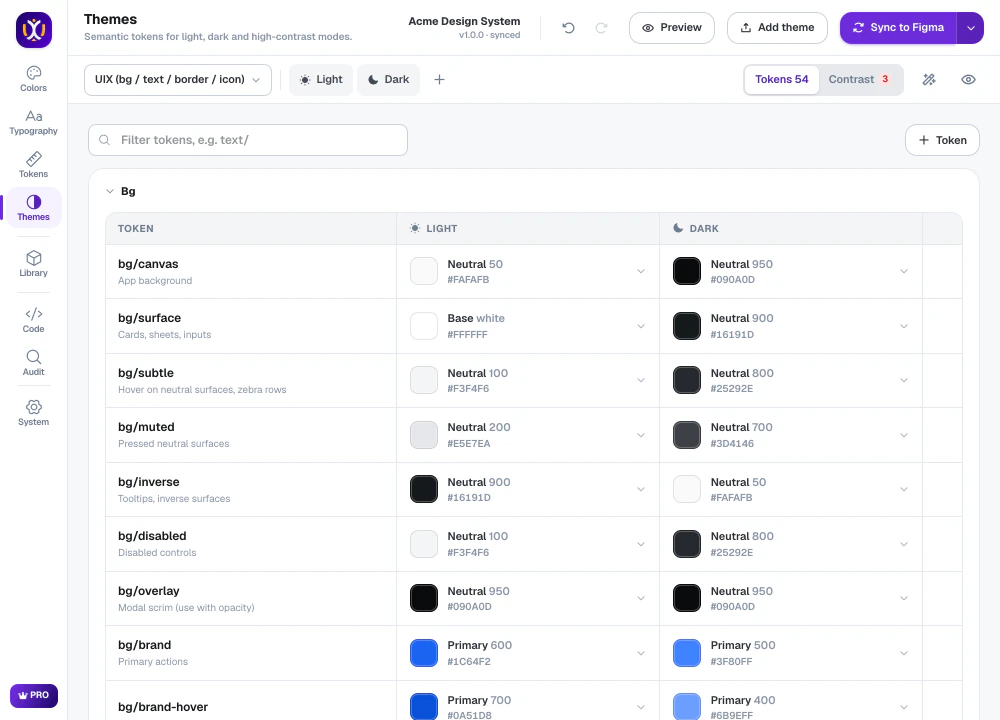
Colors are written to a Primitives collection as Figma variables. Semantic theme tokens (bg, text, border, icon) point at them, so a brand change updates every screen in light and dark mode.
What’s included
Free
Brand, neutral and feedback scales (HSL), WCAG contrast checks, every scale format.
Pro 7-day free trial
OKLCH engine, the 34-palette library, palette from a logo or image, APCA contrast, a contrast matrix and color-blind simulation.
Questions about colors
How do I generate a color palette in Figma?
Install UIX from Figma Community, open it in any file and type your brand color in Colors. UIX builds the full scale instantly; press Add colors (or Sync to Figma) to save it as variables.
What is OKLCH and why does it matter?
OKLCH is a color space built around how people perceive lightness. Scales made in OKLCH keep even steps and consistent contrast across hues, while HSL scales often look uneven — yellows too light, blues too dark.
Can I add only colors to my file?
Yes. Use Add colors in the Colors tab, or choose only Colors in the Sync menu. Nothing else in your file changes.
 Themes
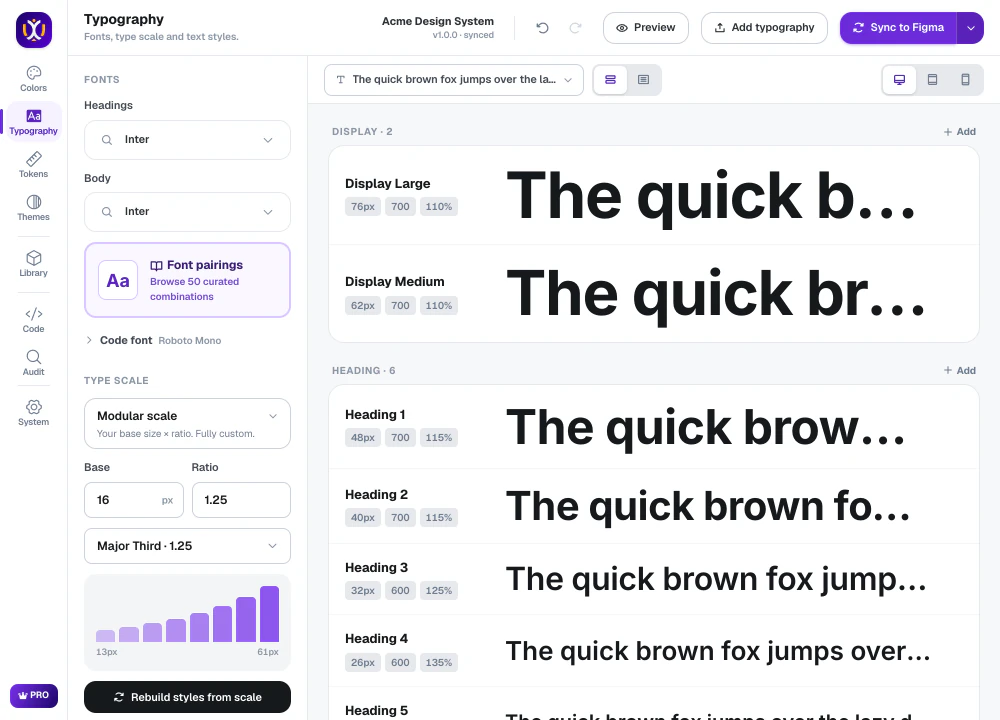 Typography
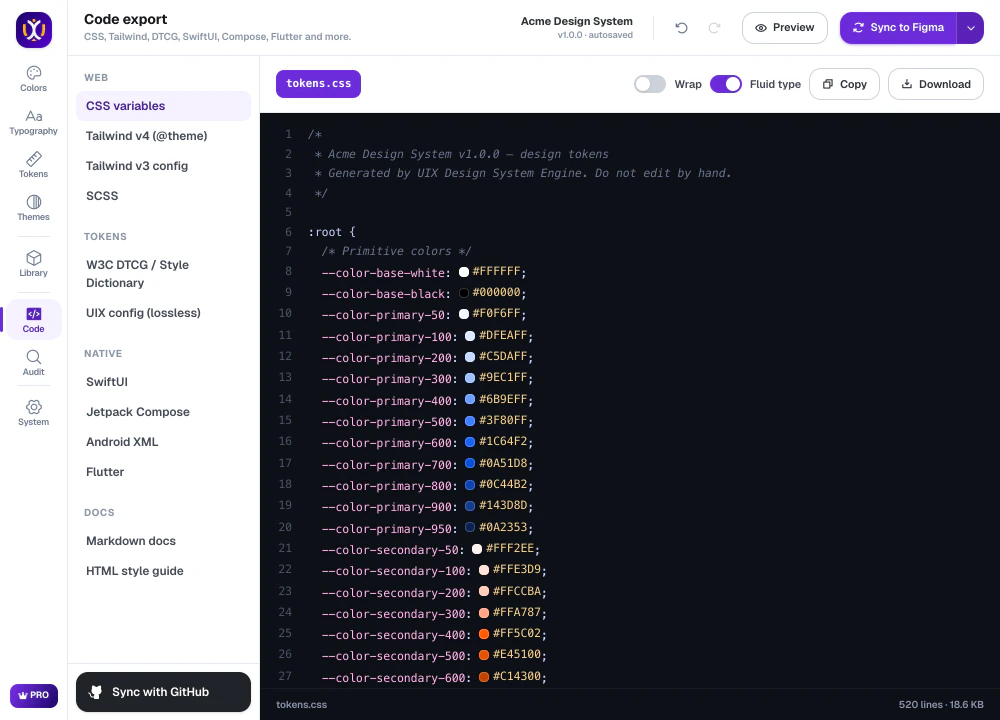 Code export
Build your design system today.
Free to start in any Figma file. Pro is free for 7 days.