
Typography scale generator for Figma
Choose a font pairing and a scale ratio. UIX creates every text style — Display to Caption — with sizes, line heights and letter spacing that fit each device.
 UIX : Design System Generator×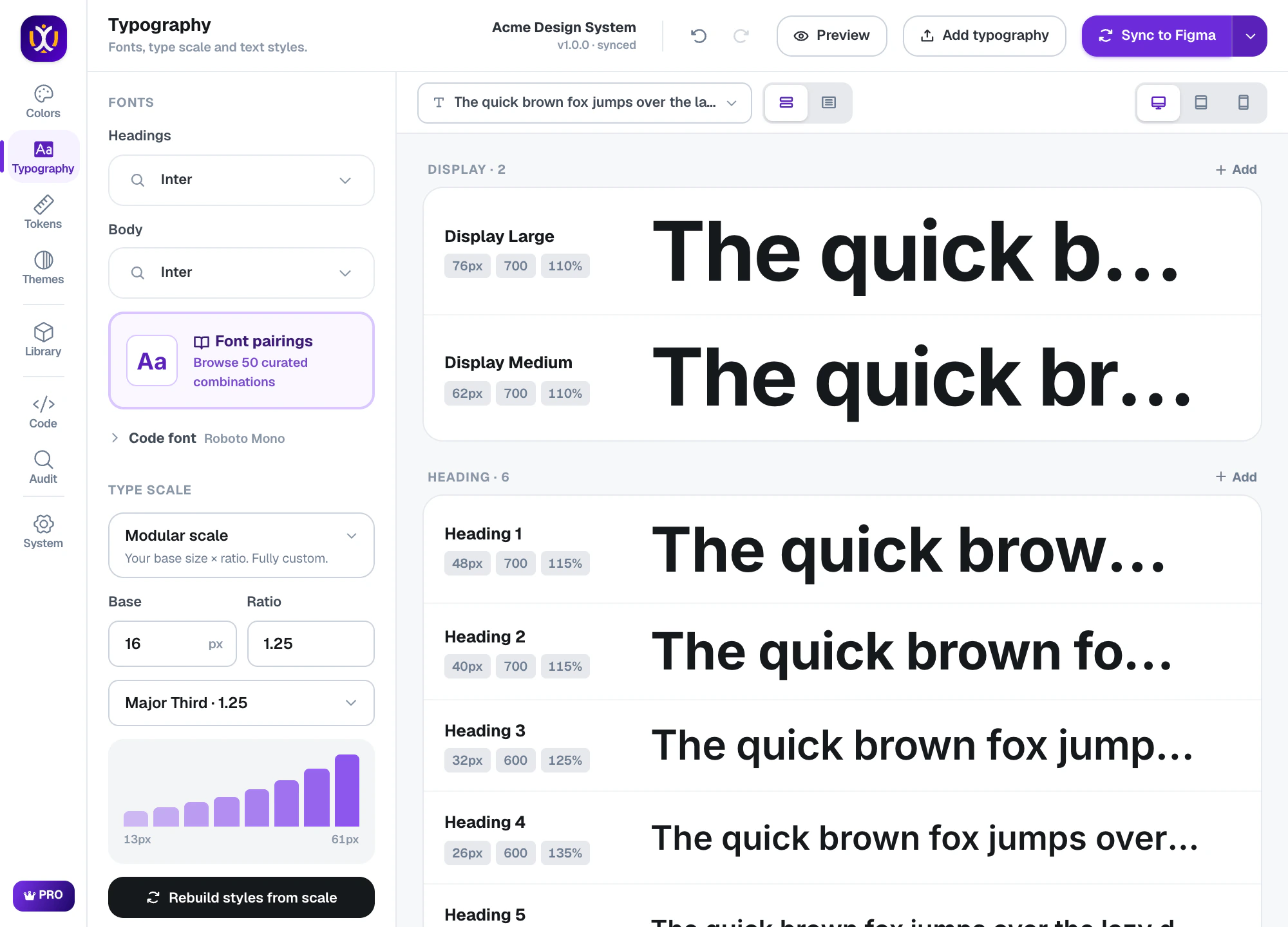
Typography, done properly
50 font pairings
Curated heading and body pairs grouped by mood: clean sans, serif & editorial, bold display, tech & product, friendly & rounded.
Modular scales
11 ratios from Minor Second to Octave — including Major Third, Perfect Fourth and the Golden Ratio.
Desktop, Tablet & Mobile
Each style gets its own size, line height and letter spacing per device, saved as separate text styles. (Pro)
Per-style control
Override the size, line height, letter spacing — or even the font family — of any single style.
Variables underneath
Font families, sizes and line heights are Figma variables, so changing a font updates every text style at once.
Preview with your words
See the scale with your own sample text, and in a realistic article layout, before you sync.
Edit one style without breaking the scale
Open any style to change its values per device. Tablet and Mobile sizes follow the scale automatically until you set them yourself — then UIX keeps your numbers.
UIX : Design System Generator×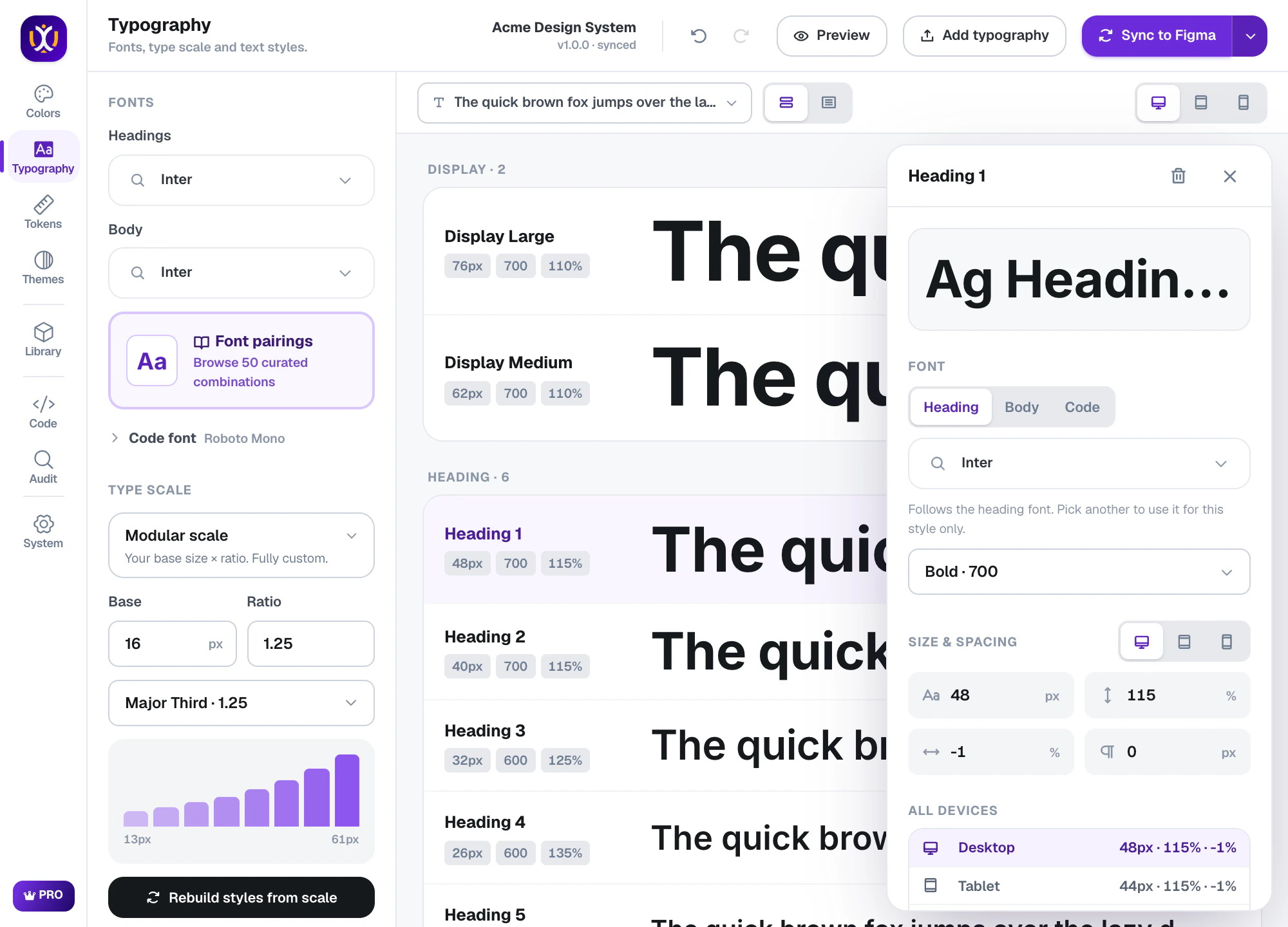
See it in context
The In context view sets your scale in a real article layout, so you can judge rhythm and hierarchy the way readers will see it.
UIX : Design System Generator×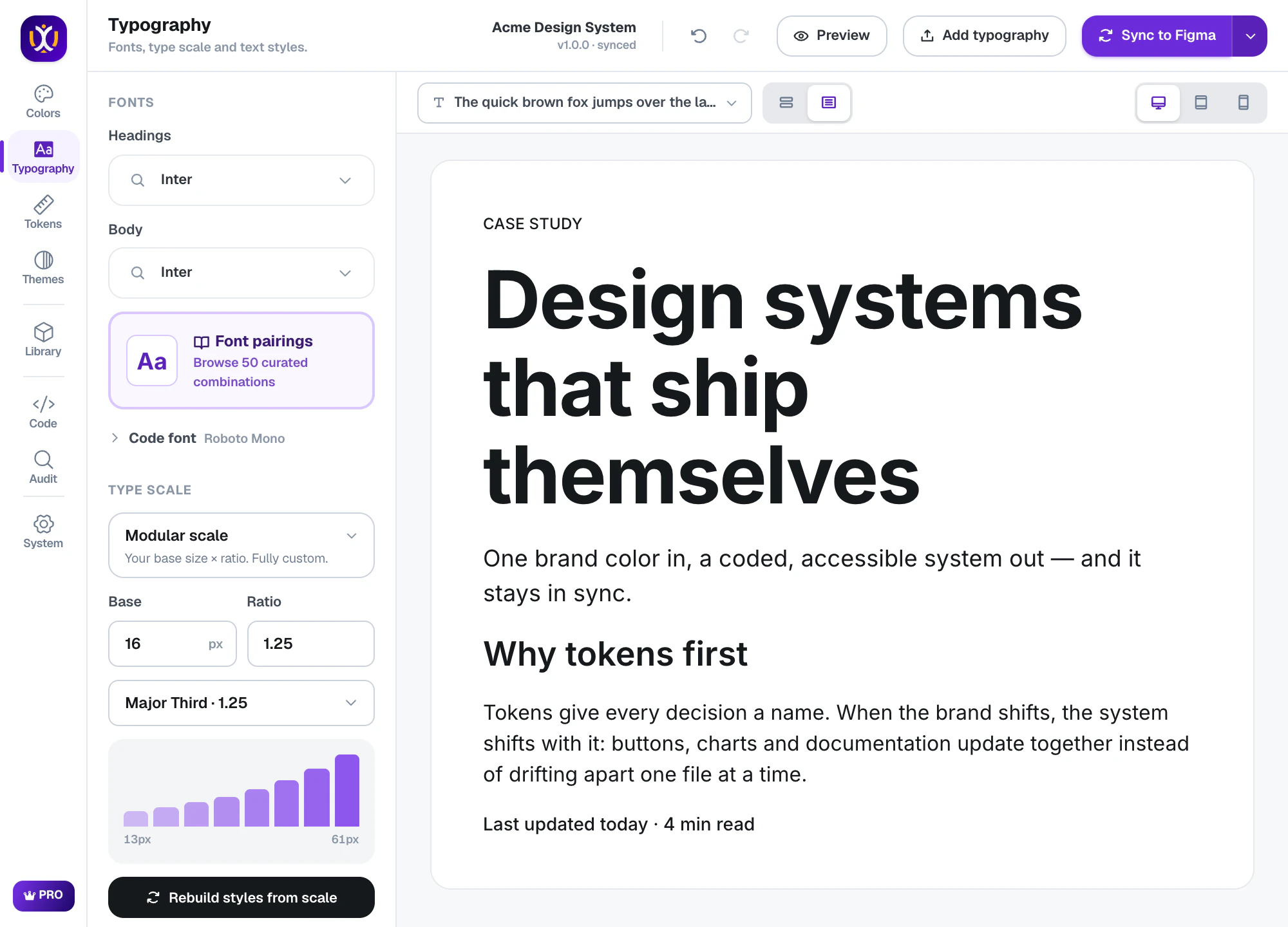
Responsive in code too
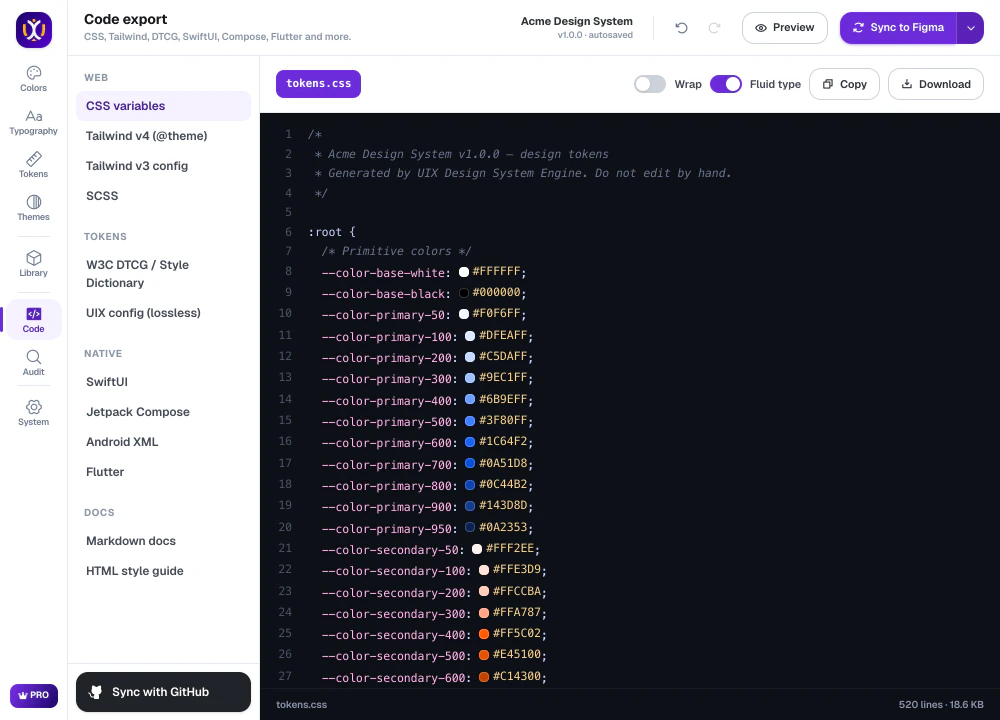
The export carries per-device values: CSS media queries or fluid clamp() sizes, Tailwind, SwiftUI, Jetpack Compose, Flutter and Android resources.
What’s included
Free
All 50 pairings and every scale ratio, with one set of text styles.
Pro 7-day free trial
Separate Desktop, Tablet and Mobile text styles and fluid type in CSS.
Questions about typography
How do I create a type scale in Figma?
In UIX, pick a font pairing and a scale ratio in Typography. Every style from Display to Caption is calculated for you; press Add typography to create the text styles and variables in your file.
Can Figma text styles be responsive?
A Figma text style can’t change per breakpoint, so UIX creates one style per device — Desktop, Tablet and Mobile versions of each style — that you apply per frame.
Can I use my own fonts?
Yes. Any font available in your Figma file — Google, local or team fonts — can be used for headings, body or a single style.
 Colors
 Tokens
 Code export
Build your design system today.
Free to start in any Figma file. Pro is free for 7 days.