
Keep your file healthy
A health score for your Figma file — with the hard-coded values, misused tokens and near-duplicate colors behind it, and fixes you can apply in one click.
 UIX : Design System Generator×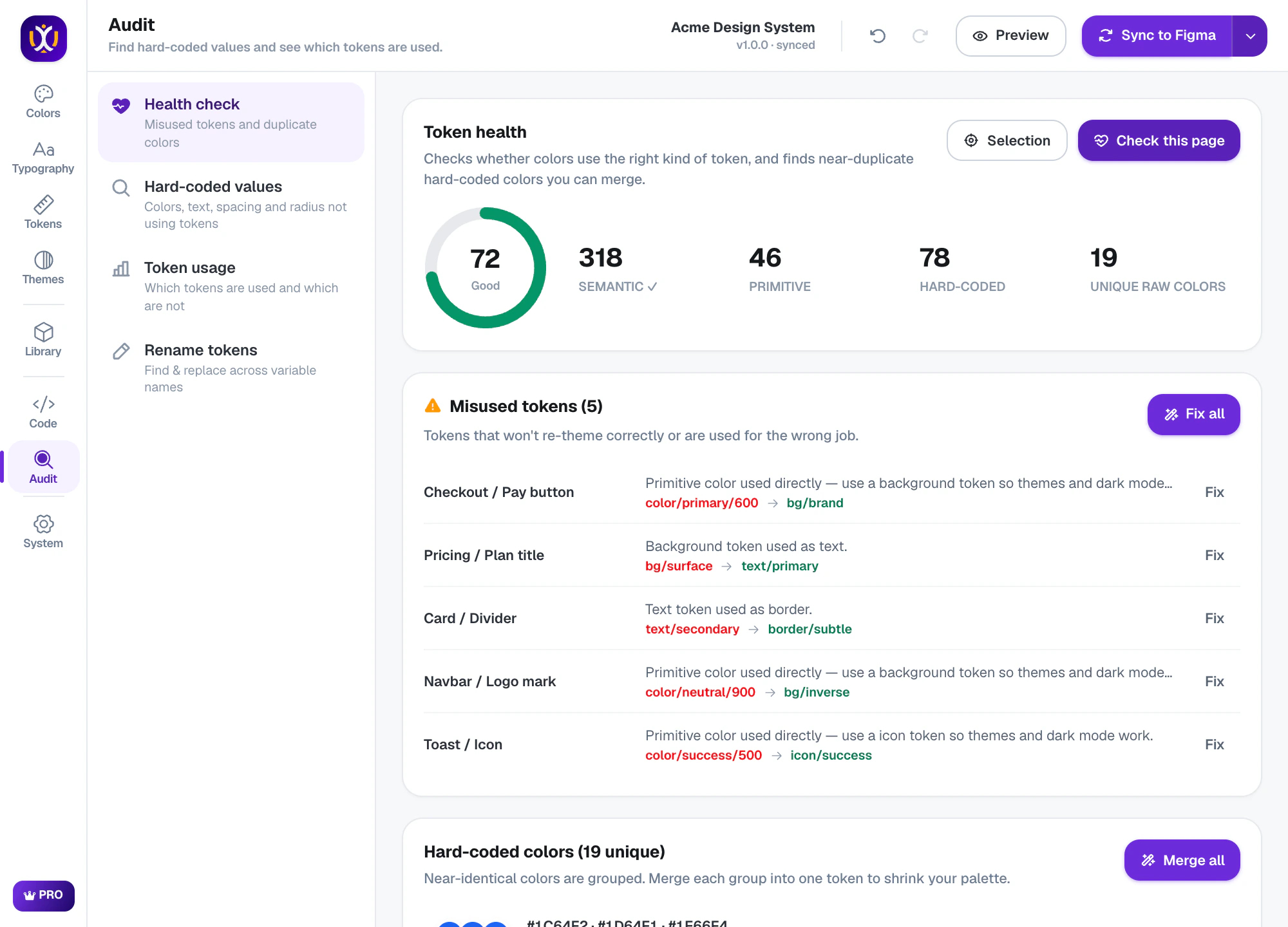
Audit, done properly
Health score
One number from semantic, primitive and hard-coded usage across a page, selection or file.
Misused tokens
Primitives used directly, or a background token used as text — each with a suggested replacement.
Hard-coded values
Colors, text, spacing and radius that should be tokens, with the closest token suggested.
Merge near-duplicates
Colors that are almost the same are grouped so you can merge them into one token.
Token usage
See which tokens are used, how often — and which are never used at all.
Bulk rename
Find and replace across variable names, with regex groups — e.g. move color/ to palette/.
Find every hard-coded value
Scan a page and get a list of raw colors, font sizes, spacing and radius, each with the token it should use.
UIX : Design System Generator×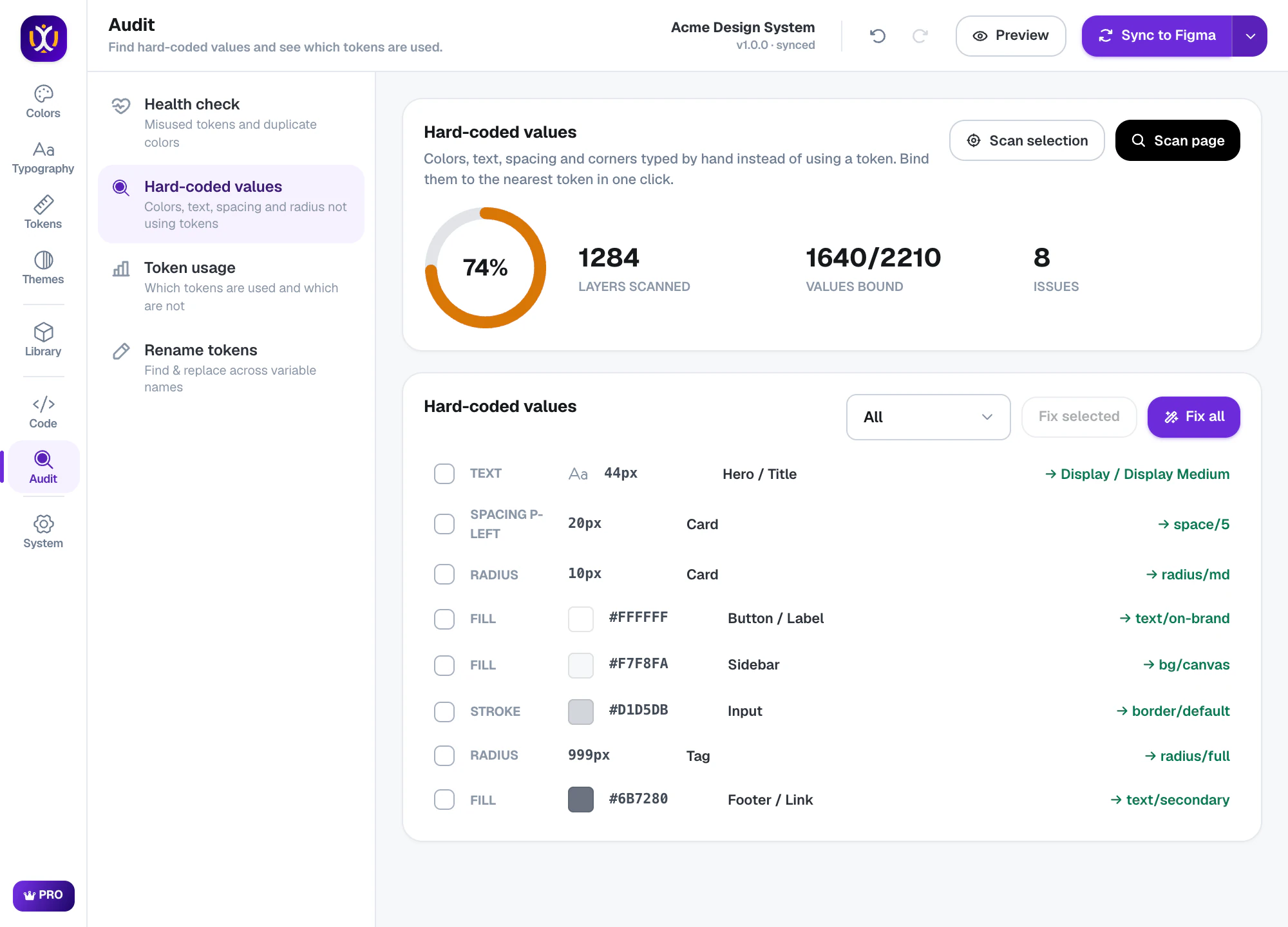
See what is really used
Token usage counts every variable across the file, so you can clean up the ones nobody uses.
UIX : Design System Generator×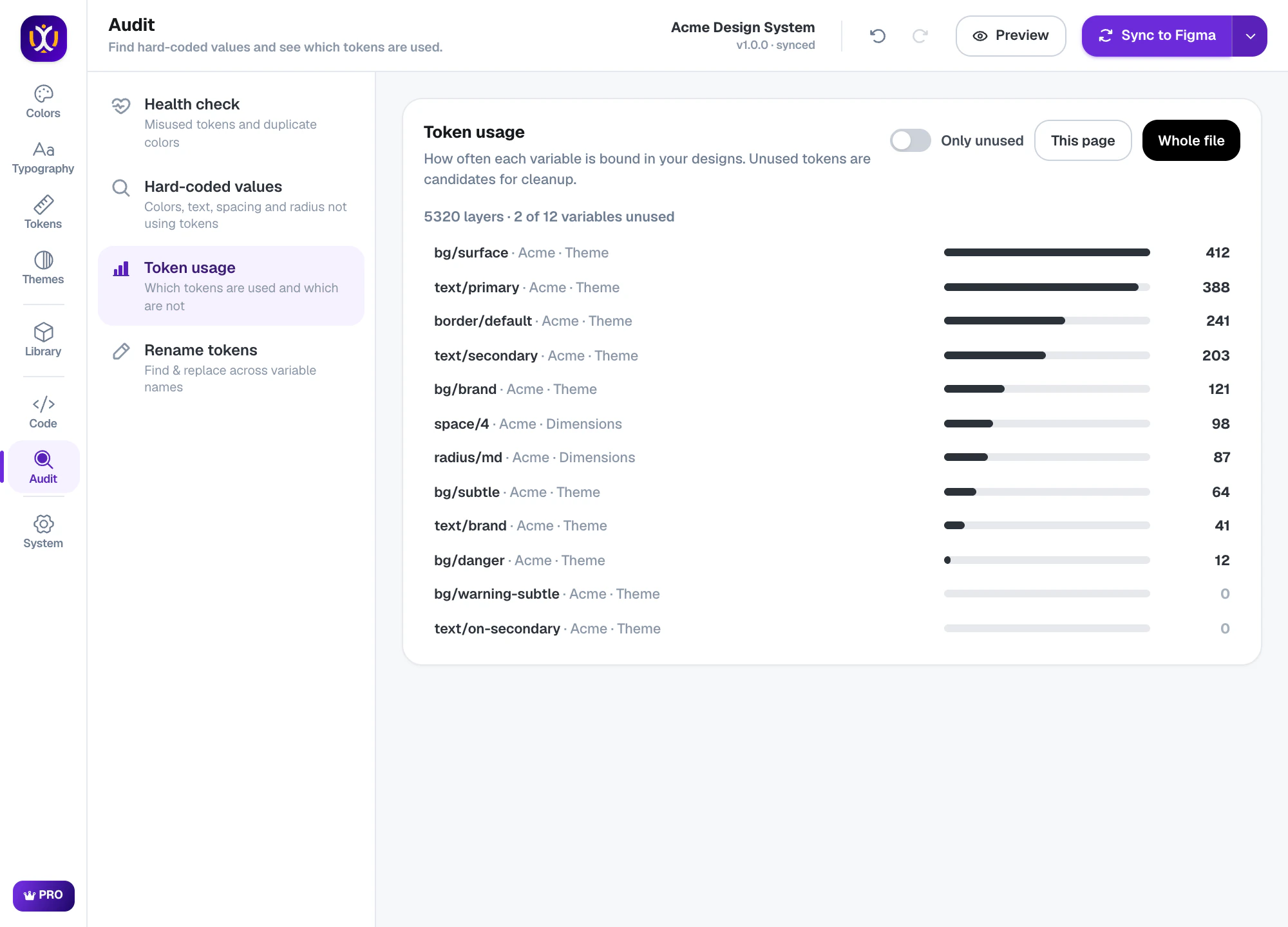
What’s included
Free
Health score, hard-coded value scan and token usage.
Pro 7-day free trial
One-click fixes, merging duplicates and bulk rename & restructure.
Questions about audit
What does the audit check?
Whether layers use the right kind of token (semantic vs primitive), raw values that should be tokens, near-duplicate colors and how often each token is used.
Does fixing change my designs?
Fixes bind layers to the suggested token. The value usually stays the same or very close; you review every suggestion before applying.
Can I audit just one frame?
Yes — scan your current selection, the current page or the whole file.
 Tokens
 Themes
 Colors
Build your design system today.
Free to start in any Figma file. Pro is free for 7 days.